
VDS Start
₺899.00 / month
- 4 ayrılmış çekirdek
- 8 GB RAM
- 200 GB NVMe
- 10 TB Trafik
- 1 IPv4
Lightweight but flexible: run Unturned Dedicated Server (U3DS) on a VDS with dedicated resources, Workshop maps, plugins and full file access.
Quick answer
Unturned server hosting means running Smartly Dressed Games’ Unturned Dedicated Server (U3DS) on an always-on machine. The server is downloaded with SteamCMD from ID 1110390 using an anonymous login and runs on Windows and Linux. Internet-facing servers require a GSLT (Game Server Login Token); settings are kept in Commands.dat. At LIONFIN you install it on a VDS server or request the setup through a support ticket.
There is no ready-made package for this use yet; these servers give you full control to install it yourself, or you can request setup through a support ticket. You complete the order on our Turkish store page.
₺899.00 / month
₺1,599.00 / month
₺2,899.00 / month
| Players / content | RAM | vCPU | Disk |
|---|---|---|---|
| 1–12 (vanilla) | 1–2 GB | 1–2 | 10 GB NVMe |
| 12–24 (official map) | 2–3 GB | 2 | 15 GB NVMe |
| 24–48 (Workshop map) | 3–4 GB | 2 | 20 GB NVMe |
| 48–100 (RP, many plugins) | 4–6 GB | 2–4 | 30 GB NVMe |
Estimates; actual needs depend on mods, plugins and settings.
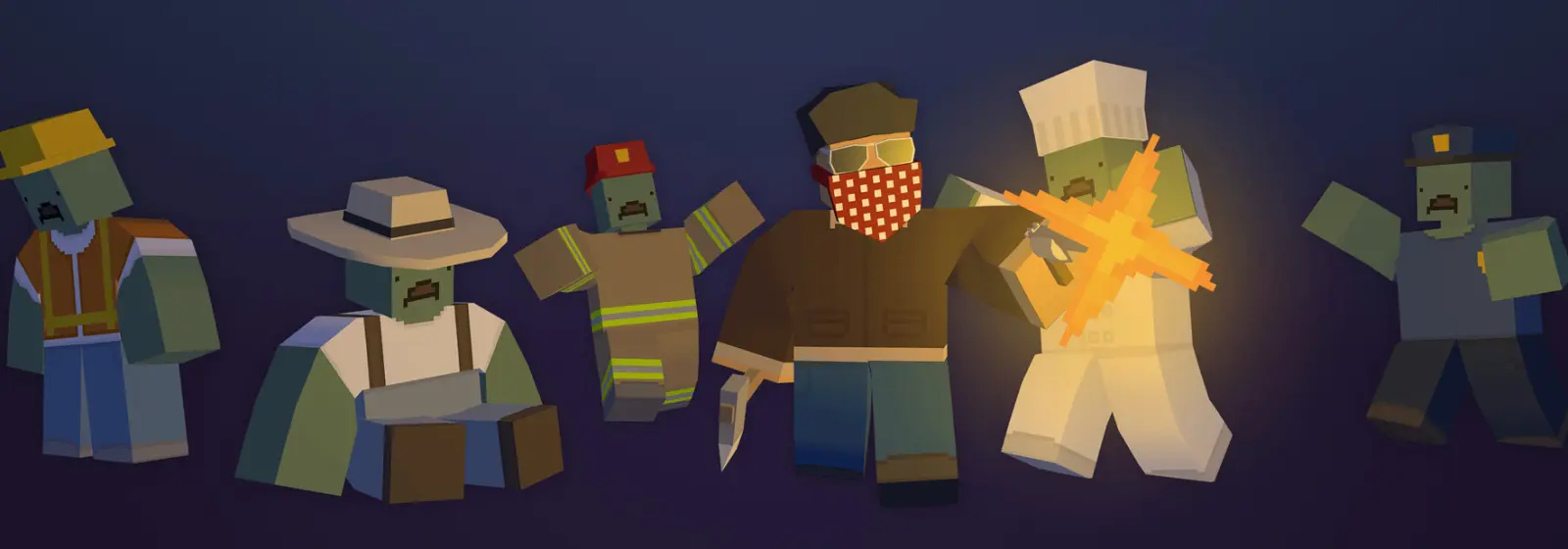
Unturned Dedicated Server (U3DS) is the server version of the free-to-play survival game Unturned, running 24/7 independently of players. Because the game is free, finding players is easy, and RP, survival and PvP servers attract steady interest.
Common types of Unturned server:
No game licence is required on the server side; the U3DS files are downloaded for free with SteamCMD. Deciding what type of server you want determines the resources, plugin framework and admin workload you will need.
The free-to-play model keeps new players flowing in, but it also means competition is high. A stable, low-latency and well-managed server is the foundation for keeping players for the long term. A server hosted in Türkiye suits players connecting from Türkiye and the surrounding region, which makes a difference in PvP fights in particular.
Unturned is a lightweight game server: a vanilla server can run on 1–2 GB of memory, while an RP server with more than 48 players, a large Workshop map and dozens of plugins needs 4–6 GB. The values in the table are estimates and vary with the amount of content.
The main factors that determine resource needs:
Unturned’s low resource needs make it sensible to run several servers on a single VDS: for example a survival and an RP server, or a live server and a test server, on the same machine. In that case add up each server’s memory share and leave room for the operating system. NVMe storage loads maps and Workshop content quickly at start-up.
At LIONFIN you run an Unturned server on a VDS; this page shows VDS plans for the game. You can install the server yourself or open a support ticket from the customer panel after ordering the VDS and ask for the setup.
The advantages of a VDS for Unturned specifically:
Root access lets you set up start scripts, scheduled restarts and backup jobs exactly as you want. A general comparison of a game package and a VDS is on the game server package vs VDS page; current plan values are shown in the plan table on this page.
The Unturned server is downloaded with SteamCMD from ID 1110390 using an anonymous login and started with Unturned.exe on Windows or the official ServerHelper.sh script on Linux. The official documentation recommends following the current instructions in the repository for Linux installations.
steamcmd +force_install_dir /home/unturned/U3DS +login anonymous +app_update 1110390 validate +quitServers/ServerName/ folder structure is created:
./ServerHelper.sh +InternetServer/ServerNameServers/ServerName/Server/Commands.dat.screen, tmux or a systemd service.The +InternetServer parameter starts the server open to the internet, while +LanServer limits it to the local network. If you run several servers, give each a different server name and port; each uses its own folder under Servers.
A GSLT (Game Server Login Token) is a free key that links game servers to a Steam account, and according to the official documentation it is mandatory for internet-facing Unturned servers. The token also keeps your server’s Server Code from changing on every start.
To get a GSLT:
304930) and add a description.Use a separate token for each server; using the same token on more than one server causes connection problems. Steam requires the account to meet certain conditions (for example not being a limited account) to create tokens. Do not share the token publicly: a misused token can be revoked and your server drops from the list.
If a token is banned for abuse, all servers tied to that account can be affected. That is why it matters to keep content that breaks Steam’s rules off your server and to take measures against cheating.
An Unturned server’s core settings are kept in Servers/ServerName/Server/Commands.dat, one command per line. The server reads this file on every start.
Name LIONFIN Survival EU
Map PEI
MaxPlayers 24
Perspective Both
Port 27015
Owner 7656119XXXXXXXXXX
Password
PvE
Cheats
What the commands mean:
Name: The name shown in the server list.Map: The map to load; the map name if you use a Workshop map.MaxPlayers: Maximum number of players.Perspective: Camera option (First, Third, Both, Vehicle).Owner: The server owner’s steamID64; grants admin rights.Password: Password to join the server.PvE: Disables player-versus-player combat; remove this line on a PvP server.Cheats: Enables cheat commands for admins.Detailed gameplay settings (item spawn rates, zombie behaviour, structure durability and so on) are in the configuration file in the server folder. Make changes while the server is stopped and copy the file before each edit.
Stating your community’s language and type in the server name (for example “EN RP” or “EN Survival PvE”) attracts the right players in the server list. Choose MaxPlayers based on your real capacity: a smaller server that looks full is more attractive to newcomers than a large one that looks empty. You can raise the value step by step as the server grows.
To add Workshop content to an Unturned server, write the items’ Workshop file IDs into the File_IDs list of WorkshopDownloadConfig.json in the server folder. The server downloads and updates this content at start-up, and players download any missing content automatically when connecting.
{
  "File_IDs": [
    1234567890,
    2345678901
  ]
}
To use a Workshop map, add its ID to this list and write the map name in the Map command in Commands.dat. The map name is usually given on the Workshop page.
Things to watch:
Switching Workshop maps is effectively a fresh start, because existing structures and player positions belong to the old map. Plan a map change as a season transition, announce it to your community in advance and back up the old map’s server folder so you can go back if needed. Trying new content packs on a test server on the same VDS first prevents unexpected clashes on the live server.
In Unturned, server plugins run on a framework that is not part of the game itself; the two options widely used by the community are RocketMod and OpenMod. Features such as kits, economy, teleporting, administration and job systems are added through these frameworks.
Whichever framework you choose, download plugins only from sources you trust. “Free” copies of paid plugins may contain malicious code that gives unauthorised access to your server.
Economy and inventory plugins usually use a MySQL/MariaDB database. On a VDS you can run the database on the same machine and improve security by allowing only local connections. Monitor the server’s memory and CPU use as you add plugins; a poorly written plugin can slow the server down regardless of hardware.
An Unturned server uses the Port value in Commands.dat plus the next port up; for a server on the default 27015, UDP ports 27015 and 27016 must be open.
sudo ufw allow 27015:27016/udpThe official documentation also mentions Fake IP as an alternative to port forwarding for internet-facing servers. With this method, connections are relayed through Steam’s network infrastructure, which is handy where you cannot open the server’s ports directly. On a VDS, however, you have a public IPv4 address and full control of the firewall, so opening ports directly is usually the simpler and more predictable solution.
If you run a second server on the same VDS, offset the Port value by at least two (for example 27025) and open both of its ports as well.
Everything that needs backing up on an Unturned server is in the Servers/ServerName/ folder: player data, structures and vehicles on the map, configuration files and plugin data. If plugins use a database, its dump must also be part of the backup.
Players, Level and Server subfolders, every day.mysqldump.The Unturned world is saved when the server shuts down; a copy taken from a running server may not contain the latest changes. Taking the backup right after a scheduled restart is an easy way to get a consistent copy. The same logic applies when migrating from another provider: stop the old server, take the server folder and database dump, do a clean U3DS install on the new VDS, copy the files to the same paths and start the server with the same name. You can reuse the GSLT on the new server, but do not run two servers with the same token before shutting down the old one.
In a free-to-play game like Unturned, both DDoS attacks and cheating attempts are common; protection comes from network-level DDoS filtering used together with in-server admin tools. On LIONFIN infrastructure the RouteFence firewall filters at the network level and traffic is monitored 24/7 by our NOC and SOC teams; see our data center for more.
Owner command and give other admins limited rights through a plugin.In a free game, a banned player can easily return with a new account. So rather than relying on bans alone, combine plugins that limit what new players can do in their first minutes, admin tools that keep logs and an active moderator team. Collecting cheating reports through your community channel and reviewing them regularly builds players’ trust and protects your server’s reputation.
Most Unturned server problems relate to the GSLT, ports or Workshop content.
| Symptom | Likely cause | Fix |
|---|---|---|
| Server not shown in the list | No GSLT or an invalid one | Create a new token and add it to the configuration |
| Players cannot connect | Port or port+1 closed | Open both UDP ports |
| Workshop map not loading | Wrong Map name or missing ID | Add the ID to File_IDs and check the map name |
| Plugins not working | Framework or plugin version incompatible | Upgrade the framework and plugin to current versions |
| Server Code changes on every start | No GSLT in use | Assign a permanent GSLT to the server |
If you cannot solve a problem, open a support ticket from the customer panel.
Choose a VDS plan
Pick a VDS suited to your player count and content plans; Ubuntu 24.04 LTS is a good choice for a licence-free setup.
Download the U3DS files
Run app_update 1110390 with SteamCMD using an anonymous login to download the Unturned Dedicated Server files.
Create the server folder
Start and stop the server once with the +InternetServer/ServerName parameter; the folder structure is created under Servers.
Configure the GSLT and Commands.dat
Create a GSLT on Steam and add it to the configuration, then set the server name, map, player count and owner in Commands.dat.
Set up Workshop content and ports
Write the content IDs into WorkshopDownloadConfig.json and open UDP rules for the port and port+1.
Start the server and set up backups
Start the server as a service, test by connecting from the game and create a job that backs up the server folder regularly.
According to the official documentation, a GSLT is required for internet-facing Unturned servers. The token is created for free on Steam’s game server account management page and also stops the Server Code from changing on every start.
Yes. Unturned Dedicated Server supports Windows and Linux; macOS is not supported. On Linux the server is started with the bundled ServerHelper.sh script. Linux is preferred for long-running servers because it needs no licence and uses fewer resources.
It uses the Port value in Commands.dat and the next port up. For a server on the default 27015, you need to open UDP ports 27015 and 27016. For a second server, offset the port value by at least two.
For a vanilla server, 1–2 GB of memory is an estimated sufficient amount. For busy RP servers using a large Workshop map, many item packs and economy plugins, planning 4–6 GB is safer.
Add the map’s Workshop ID to the File_IDs list in WorkshopDownloadConfig.json, then write the map name in the Map command in Commands.dat. The server downloads the map at start-up, and players download it automatically when connecting.
Write your own steamID64 into Commands.dat with the Owner command. You get admin rights when the server restarts. For other admins it is safer to define limited permission groups through RocketMod or OpenMod.
Both are community frameworks that add plugin support to Unturned servers. RocketMod is the long-established framework with a large plugin archive; OpenMod offers a more modern architecture and tidier dependency management. Choose according to the plugins you need.
Yes. Start each server with a different server name, give each a different port in Commands.dat and use a separate GSLT for each. Because Unturned is lightweight, a mid-sized VDS can easily carry several servers.
Add a PvE line to Commands.dat and restart the server. This setting stops players damaging each other. If you want a PvP server, remove that line; zombies and other dangers stay active in both modes.
After ordering your VDS, open a ticket from the Support section of the customer panel and ask for the Unturned server to be installed. Stating the map, player count, plugin framework and Workshop content you want speeds things up. If you need help ordering, contact us by email.